
Many people love the Peloton app for exercise. It has fun classes and good coaches. But can you use the Peloton app with a regular treadmill? This is a common question. Not everyone has a Peloton treadmill. So, this article will explain how the app works with regular treadmills. You will learn what you need and what to expect.
What is the Peloton App?
The Peloton app offers many workouts. It has running, cycling, yoga, strength training, and more. You can join live classes or watch recorded sessions anytime. The app works on phones, tablets, smart TVs, and computers.
Peloton app users pay a monthly fee. This fee gives access to all classes and features. You do not need to own a Peloton bike or treadmill to use the app. This means you can use it with other equipment.
Using the Peloton App With a Regular Treadmill
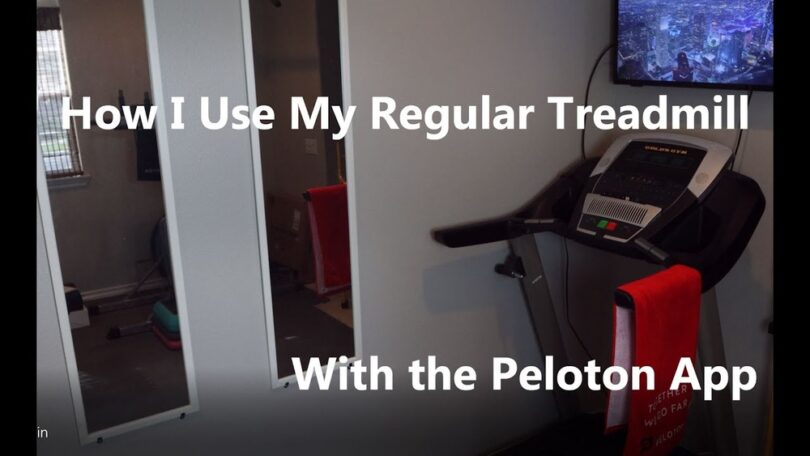
The Peloton app shows running classes. You can follow the coach and the screen. But the app cannot control a regular treadmill. It only works fully with the Peloton treadmill.
With a regular treadmill, you must change speed and incline by hand. The app will not do this for you. The coach might say “increase speed now,” but you must do it yourself.
This is not a big problem. Many runners like to control their treadmill. The app still gives good guidance, motivation, and structure.
What You Need To Use The Peloton App On A Regular Treadmill
- A regular treadmill with speed and incline controls
- A phone, tablet, or smart TV to run the app
- Good internet connection
- Optional: headphones for better sound
You just start the app and pick a running class. Then, you follow the coach’s instructions. Change speed and incline on your treadmill as told in the class.

Credit: trophyhunting.co
Benefits of Using Peloton App With a Regular Treadmill
There are many benefits. First, you get access to many types of runs. You can do intervals, hills, or steady runs. The app guides you step by step.
Second, you get motivation from the coach and music. This helps you stay focused and finish your workout.
Third, you can choose the time and type of class. You can run for 10 minutes or 60 minutes. You can pick a beginner or advanced class.
Fourth, it is cheaper than buying a Peloton treadmill. If you already have a treadmill, the app is a good choice.
Limitations to Know
There are a few limits to remember. The app will not connect to your treadmill. So, it cannot track your speed or distance automatically.
You will need to enter your stats manually if you want to track them. The app does show estimated calories and distance, but it is not exact.
Also, you miss some features of the Peloton treadmill. For example, automatic speed and incline changes based on the class.
Some people like this feature. Others prefer to control the treadmill themselves.
How to Get the Best Experience
To enjoy Peloton classes on a regular treadmill, try these tips:
- Set up your device: Place your phone or tablet where you can see the screen easily.
- Use good speakers or headphones: This helps you hear the coach clearly.
- Follow the coach carefully: Pay attention to speed and incline changes.
- Warm-up and cool down: Start slow and finish slow to avoid injury.
- Track your progress: Write down your time, distance, and how you feel after each run.
Comparing Peloton Treadmill and Regular Treadmill With the App
| Feature | Peloton Treadmill | Regular Treadmill + Peloton App |
|---|---|---|
| Automatic Speed Control | Yes | No |
| Automatic Incline Control | Yes | No |
| Class Variety | Many | Many |
| Tracking Accuracy | High | Manual Entry Needed |
| Cost | High | Lower (if you own treadmill) |
| Ease of Use | Very Easy | Some Effort Needed |
Who Should Use the Peloton App With a Regular Treadmill?
This setup is good for many people:
- Those who already own a treadmill
- People who want guided running workouts
- Runners who like to control speed themselves
- Anyone who wants to try Peloton classes without buying new equipment
If you want a simple and guided workout, the app is useful. If you want full automation, the Peloton treadmill is better.

Credit: www.lambertslately.com
Simple Steps to Start Using Peloton App on Your Treadmill
- Download the Peloton app on your device.
- Create an account and choose a subscription plan.
- Open the app and select a treadmill running class.
- Place your device where you can see it while running.
- Start your treadmill and follow the coach’s instructions.
- Adjust speed and incline as the coach says.
- Enjoy your workout!
Final Thoughts
You can use the Peloton app with a regular treadmill. The app gives many classes and helps keep you motivated. You must change speed and incline yourself. The app does not connect to regular treadmills.
Using the app is a good choice if you want guided workouts. It works well for beginners and experienced runners. You get variety and coaching without extra equipment cost.
Try it out. See if it helps you stay active and enjoy running more.
Frequently Asked Questions
Can The Peloton App Track Workouts On Any Treadmill?
Yes, the Peloton App can track workouts on most regular treadmills. It uses your phone’s sensors and manual input for accuracy.
Do I Need Special Equipment To Use Peloton App Treadmill Workouts?
No special equipment is needed besides a regular treadmill and a smartphone or tablet. The app works well with standard devices.
Can Peloton App Connect To A Treadmill’s Speed Sensor?
Peloton App does not connect directly to treadmill speed sensors. You manually enter treadmill speed and incline during workouts.
Is The Peloton App Subscription Required For Treadmill Use?
A Peloton App subscription is needed to access treadmill workout classes. Free trials may be available for new users.