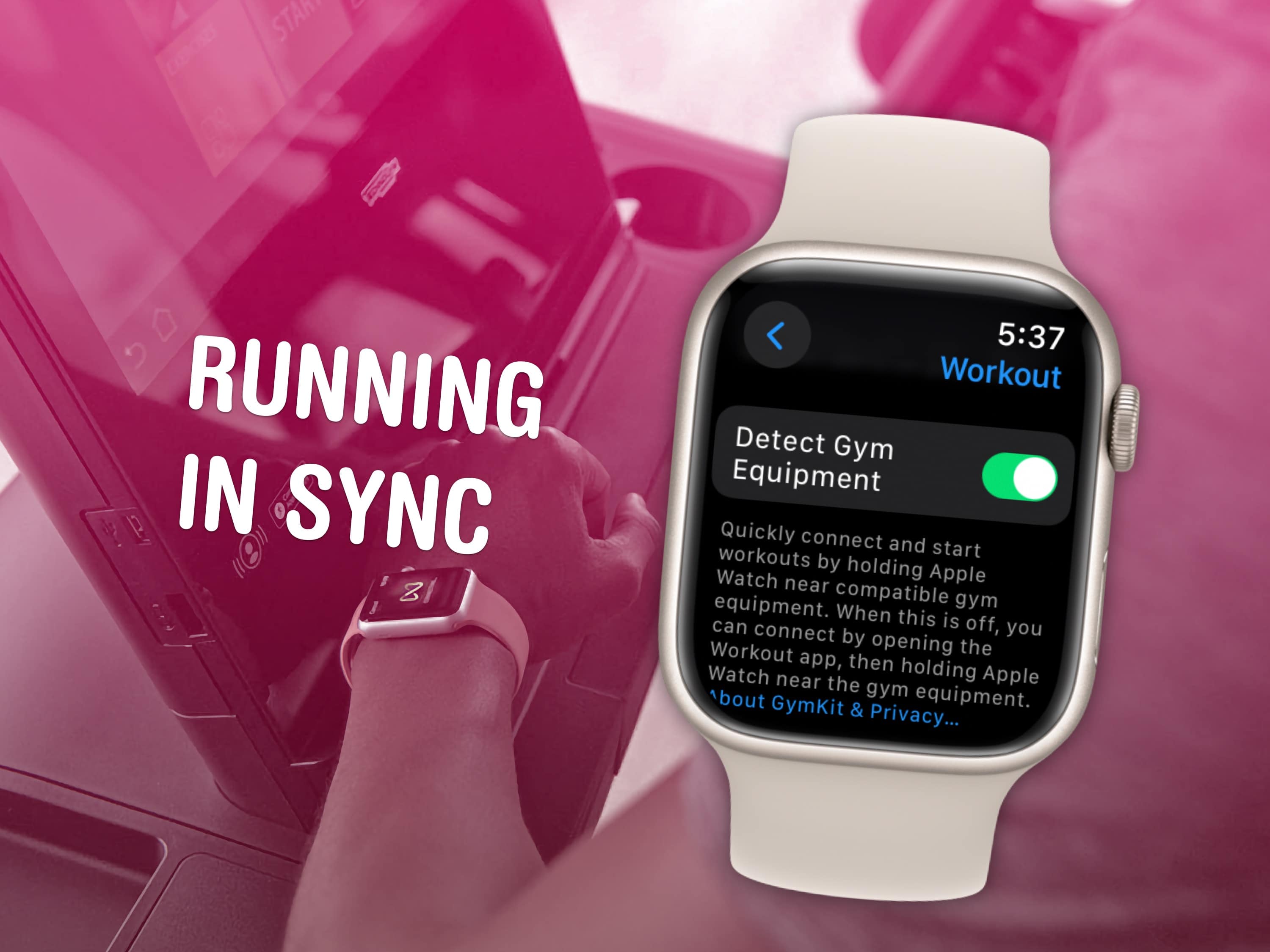
Many people like to use the Apple Watch to track their workouts. It helps to count steps, distance, and calories. When you run outside, the watch uses GPS to know your speed and distance. But what about running on a treadmill? Can you calibrate your Apple Watch to the treadmill? This is a common question for many runners.
What Does Calibration Mean?
Calibration is a way to help your Apple Watch learn your walking or running style. When the watch knows how you move, it can measure distance and speed better. Usually, you calibrate your watch by walking or running outside with GPS on. The watch uses this data to guess your speed when GPS is off.
But on a treadmill, you do not have GPS. So how does the watch know how far you run? Does Apple Watch have a way to calibrate for treadmill use? Let’s find out.
Credit: villorbarugby.com
How Does Apple Watch Track Treadmill Workouts?
When you run on a treadmill, the Apple Watch uses its sensors. These sensors include the accelerometer and heart rate monitor. The accelerometer checks your arm and wrist movement. The heart rate monitor watches your pulse. Using these, the watch estimates your distance, speed, and calories.
But these estimates are not always perfect. Sometimes, the watch may guess wrong. This happens because treadmill running is different. Your arms may not move as much. The treadmill belt moves under your feet. This can confuse the sensors.
Can You Calibrate Apple Watch Directly to a Treadmill?
The short answer is no. Apple Watch does not have a specific way to calibrate for treadmill running. The watch cannot connect directly to the treadmill to get exact data. It cannot learn treadmill speed or distance from the machine.
Apple Watch relies on its sensors and your previous outdoor calibration. If you have calibrated your watch outdoors, it will use that data to guess treadmill distance better. But it still won’t be exact.
How to Improve Apple Watch Accuracy on Treadmill
Even if you cannot calibrate the watch directly to the treadmill, there are ways to make it more accurate. Here are some tips:
Calibrate Outdoors First: Walk or run outside with your watch and phone’s GPS on for about 20 minutes. This helps the watch learn your pace.
Use the Workout App: Start the “Indoor Run” workout on your watch before you begin treadmill running. This tells the watch to use the right sensors.
Keep Your Arms Moving: Swing your arms naturally while running. The watch uses arm movement to estimate distance.
Enter Treadmill Distance Manually: After your workout, you can adjust the distance manually in the Health app on your iPhone. This helps correct errors.
Use a Foot Pod: Some runners use a foot pod device that connects to the watch. It gives better speed and distance data on treadmills.
Credit: www.reddit.com
Steps to Calibrate Apple Watch Outdoors
Since outdoor calibration helps treadmill accuracy, here are the steps:
Make sure Location Services are on in your iPhone settings.
Take your iPhone and Apple Watch with you outside.
Open the Workout app on your watch.
Select “Outdoor Walk” or “Outdoor Run.”
Walk or run at your normal pace for 20 minutes.
After the workout, the watch saves your pace data.
This outdoor calibration helps the watch understand your personal pace and stride length. When you run on a treadmill later, the watch uses this info to estimate distance better.
Why Is Treadmill Distance Sometimes Wrong on Apple Watch?
Sometimes, the watch shows wrong distance after treadmill workouts. Here are some reasons:
Arm Movement: If you hold the treadmill rails, your arms don’t move. The watch may think you are not moving.
Different Running Style: Running on a treadmill feels different than outside. Your stride length may change.
No GPS Signal: Treadmill runs have no GPS. The watch must guess distance from sensors.
Sensor Limits: The watch sensors have limits. They are not perfect for indoor running.
Using Third-Party Apps and Devices
Some apps and devices can help improve treadmill tracking. They connect to Apple Watch or iPhone. Here are some options:
Foot Pods: Small devices you attach to your shoe. They measure speed and distance accurately.
Third-Party Running Apps: Apps like Strava or Nike Run Club can record treadmill workouts and sync with Apple Health.
Treadmill Bluetooth: Some treadmills send speed and distance to apps via Bluetooth. But Apple Watch cannot use this data directly.
Using these can help if you want more exact data than the Apple Watch alone gives.
Summary Table: Apple Watch Treadmill Tracking
Feature
Apple Watch Alone
With Calibration and Accessories
GPS Use
Not available on treadmill
Outdoor GPS calibration helps
Distance Accuracy
Estimated by sensors, less accurate
Better with outdoor calibration and foot pod
Speed Tracking
Estimated from arm movement
More accurate with foot pod
Heart Rate Monitoring
Works well
Works well
Direct Treadmill Connection
No
Some treadmills connect to apps, not watch
Final Thoughts
Can you calibrate Apple Watch directly to a treadmill? No, you cannot. The watch does not link to treadmill machines. It uses sensors and your outdoor calibration to guess distance and speed.
To get better results, always calibrate your watch outside first. Use the Indoor Run workout on the watch for treadmill sessions. Keep your arms moving naturally. You can also add foot pods or use apps for more accuracy.
Remember, Apple Watch tracking on a treadmill is an estimate. It helps you stay active and motivated. But it may not be 100% exact. For most people, this is good enough to track progress.
Enjoy your treadmill workouts. Use your Apple Watch as a helpful tool. With some care, you can get good data to improve your health.
Frequently Asked Questions
Can Apple Watch Accurately Track Treadmill Workouts?
Apple Watch can track treadmill workouts but may need calibration for better accuracy. It uses motion and heart rate data to estimate distance.
How To Calibrate Apple Watch For Treadmill Running?
Calibrate by running outdoors with GPS on, then use treadmill workouts. This helps Apple Watch learn your stride and improve indoor tracking.
Why Does My Apple Watch Show Wrong Treadmill Distance?
Distance errors happen because treadmill motion differs from outdoor running. Calibration and manual adjustments can help fix these inaccuracies.
Can I Use Apple Watch Without Gps For Treadmill?
Yes, Apple Watch works without GPS on treadmill but distance may be less accurate. Calibration improves data even indoors.
Hey! My name is Steve M. Ford and I am a fitness expert. I have been working in the fitness industry for over 10 years, and I have a lot of experience and knowledge to share with others. I am 6’0″ tall and weigh 149.2 pounds. I am in the best shape of my life and I want to help others achieve the same level of fitness and health. I have a lot of advice to share when it comes to diet, exercise, and overall health. I believe that living a healthy lifestyle is one of the most important things you can do for yourself, and I am passionate about helping others achieve this.