If you have an Apple Watch and like to run on a treadmill, you might wonder:
Can I track my treadmill workouts on my Apple Watch?
The short answer is yes. But let’s look deeper into how it works. We will explain step by step how you can use your Apple Watch for treadmill runs.
How Does the Apple Watch Track Workouts?
The Apple Watch uses sensors to measure your movement. It tracks your heart rate, distance, speed, and calories burned. For running outside, it uses GPS to find how far you run. But on a treadmill, GPS does not work well because you stay in one place.
So, the watch uses its built-in sensors like an accelerometer and heart rate monitor. These sensors estimate your steps and effort. This helps the watch guess how far and how fast you run on the treadmill.
Using the Workout App for Treadmill Runs
The Apple Watch has a Workout app. This app lets you choose many types of workouts. One of them is called “Indoor Run.”
When you run on a treadmill, choose the “Indoor Run” option. This tells the watch you are running inside without GPS.
- Open the Workout app on your Apple Watch.
- Scroll or search for “Indoor Run.”
- Tap to start your treadmill workout.
The watch will then use its sensors to track your workout. It will show your heart rate, calories, and estimated distance.
How Accurate is the Apple Watch on Treadmills?
The Apple Watch gives a good estimate for treadmill runs. But it is not perfect.
Because you do not move forward, the watch guesses your distance using your arm and leg movement. Sometimes this guess can be off.
If you want better accuracy, you can calibrate your Apple Watch. Calibration helps the watch learn your running style. This can improve distance and pace estimates.
How To Calibrate Your Apple Watch
Calibration is simple. You need to do some outdoor runs first.
- Go outside to a flat, open area with good GPS signal.
- Open the Workout app.
- Choose “Outdoor Run.”
- Run at your normal pace for about 20 minutes.
This helps your watch learn your stride length and speed. After this, your treadmill runs will be tracked more closely.
What Data Does the Apple Watch Show for Treadmill Workouts?
During your treadmill run, the watch shows:
- Time: How long you have been running.
- Heart Rate: Your current heart beats per minute.
- Calories Burned: Estimated calories you burned.
- Distance: Estimated miles or kilometers run.
- Pace: Your speed per mile or kilometer.
After your workout, you can see more details in the iPhone’s Fitness app. It shows your total time, average heart rate, and calories burned.
Connecting Your Apple Watch to Treadmills
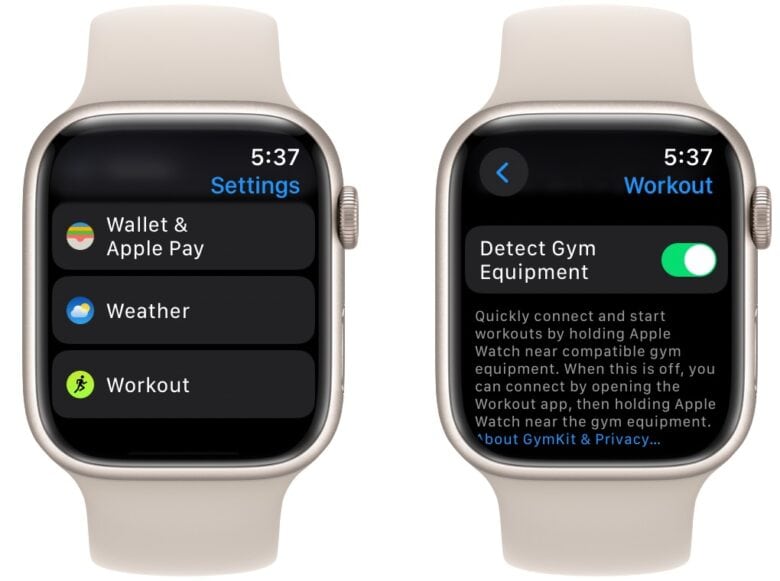
Some modern treadmills can connect with Apple Watch. They use Bluetooth to share data between the watch and the treadmill screen.
If your treadmill supports this, you can:
- See your heart rate on the treadmill screen.
- Send your workout data to the treadmill app.
- Get more accurate distance and pace data.
Check your treadmill’s manual or website to see if it supports Apple Watch connectivity.
Using Third-Party Apps for Treadmill Tracking
Besides the Workout app, many apps help track treadmill workouts on Apple Watch. Some popular apps are:
- Strava
- Runkeeper
- Zwift
- Nike Run Club
These apps may offer more features than the built-in app. For example, they can:
- Show detailed graphs and charts.
- Set training goals.
- Connect with friends for challenges.
You can download these apps from the App Store on your Apple Watch or iPhone.
Tips for Better Treadmill Tracking on Apple Watch
Here are some tips to get the best tracking results:
- Wear your watch tightly. The watch must touch your skin to read heart rate well.
- Calibrate your watch. Do outdoor runs to help the watch learn your pace.
- Use the Indoor Run workout. This tells the watch you are on a treadmill.
- Keep your arm moving naturally. The watch uses arm swings to estimate distance.
- Update your watch and iPhone. New software can improve tracking accuracy.
Credit: temperville.com.br
Credit: www.shoshitamam.com
What If the Distance is Wrong?
Sometimes, your watch may show the wrong distance. This happens because the watch guesses distance from your arm movement.
If you know the treadmill shows a different distance, you can fix this in the Fitness app:
- Open the Fitness app on your iPhone.
- Find your treadmill workout.
- Edit the distance to match the treadmill display.
This way, your records will be more accurate.
Why Track Treadmill Workouts on Apple Watch?
Tracking workouts helps you stay healthy. It shows your progress and motivates you to keep going.
Using your Apple Watch to track treadmill runs gives you:
- A record of your workouts.
- Information about your heart rate and calories.
- Details to improve your training.
It is easy and fast to start using your watch for treadmill workouts.
Summary
Yes, you can track treadmill workouts on the Apple Watch. Use the “Indoor Run” workout in the Workout app.
Calibrate the watch by running outside first. This makes treadmill tracking better.
You can connect some treadmills to your watch for extra features. Or use third-party apps for more details.
Remember to wear the watch properly and keep your arm moving. Check your workout data in the Fitness app.
Tracking treadmill workouts on Apple Watch helps you reach fitness goals.
Frequently Asked Questions
Can Apple Watch Track Treadmill Workouts Accurately?
Apple Watch uses its accelerometer and heart rate sensor to track treadmill workouts. It measures your movement and pulse to estimate calories and distance. Accuracy may vary based on your arm movement and watch fit.
How To Start A Treadmill Workout On Apple Watch?
Open the Workout app, then select “Indoor Run” or “Treadmill. ” Tap to begin, and the watch will track your workout automatically. It records time, heart rate, and calories burned.
Does Apple Watch Show Treadmill Workout Pace?
Yes, Apple Watch estimates your pace during treadmill workouts using motion sensors. It may not be as precise as GPS but gives a good speed idea. You can check pace on your watch screen during exercise.
Can I Sync Treadmill Workouts To Iphone Health App?
Treadmill workouts recorded on Apple Watch sync automatically to the iPhone Health app. This lets you track all your exercise data in one place. Data includes calories, distance, time, and heart rate.